Rate
Record how your lens performs at each focal length and aperture. Keep separate ratings for macro, portrait, street and landscape, so your experience stays with you.
Free for 1 lensKeep track of your own lens tests. See which focal length and aperture work best for your subjects — and choose your lens with confidence.
You judge your photos. LensApp records your ratings and makes them easy to compare. The app does not measure image quality automatically.
Tap a dot to cycle through the ratings.

At 40 mm, f/5.6 and f/8 have the highest rating in this example: Excellent.
40 mm · f/8 · Excellent
Example ratings, not measurements of this lens. Your changes are not saved. Keyboard: Tab to the matrix, arrow keys to move, Enter or Space to change a rating.
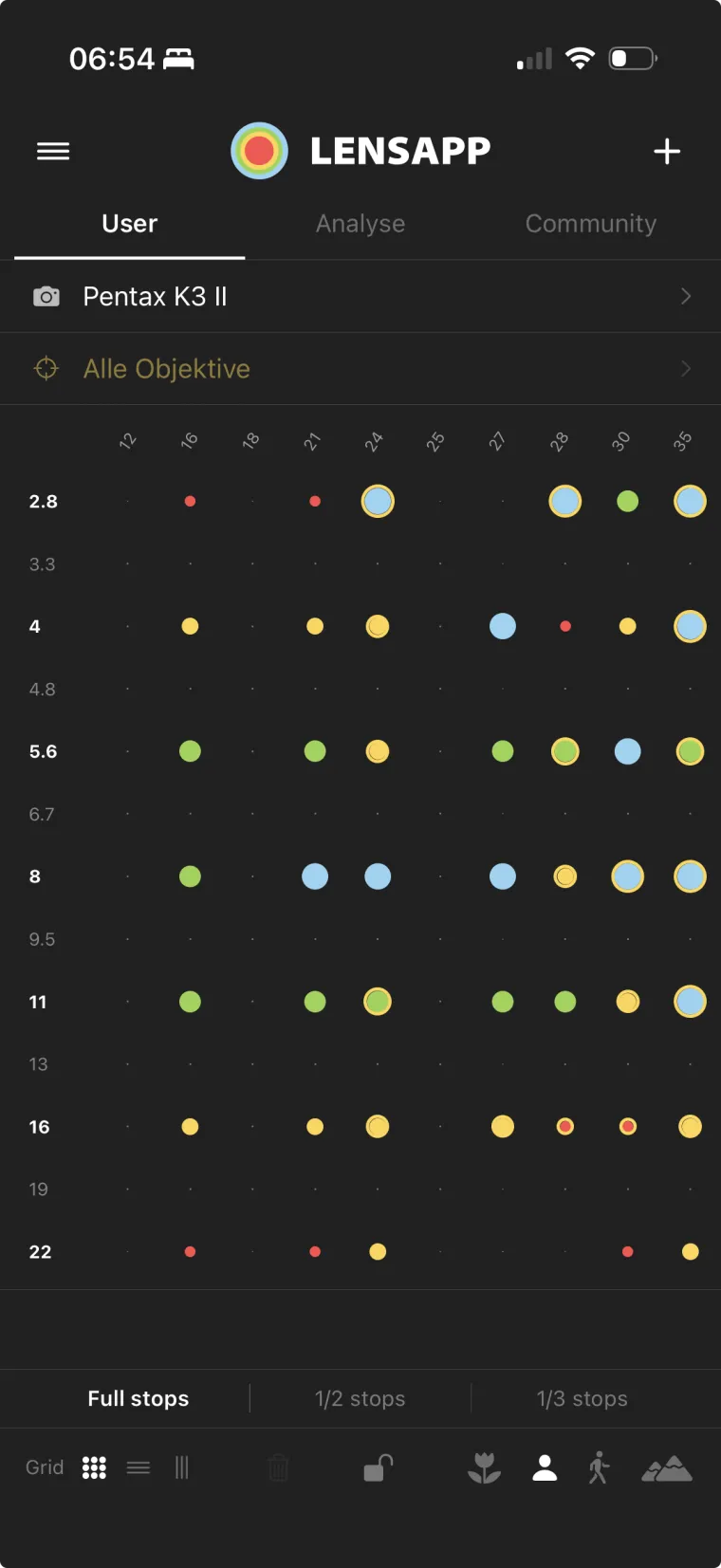
Record how your lens performs at each focal length and aperture. Keep separate ratings for macro, portrait, street and landscape, so your experience stays with you.
Free for 1 lensWhich of your lenses performs best at 50 mm? The combined matrix shows the highest ratings across your collection. The analysis tab helps you spot patterns and preferred settings.
Analysis free · combined matrix with ProShare your experience via LensCode as a QR code or link. Import other photographers’ ratings as a reference, or use the library as a starting point for your own tests.
LensCode with ProComing with LensApp 1.2 · Lightroom Classic
You already color-label test shots in Lightroom Classic. A free plugin turns them into a LensCode that LensApp scans off your screen.

Pro adds your full lens collection and tools for more detail. Upgrade in the app whenever you need it.
For your first lens, with the complete rating matrix.
Introductory prices. Regularly €12.99/year or €29.99 once.
One-time purchase: use Pro permanently in a compatible app version. Cloud and sharing depend on the continued operation of online services.
¹ Lifetime purchase: "Lifetime" refers to the lifetime of the app, not the lifetime of the purchaser. The one-time purchase permanently unlocks all Pro features for as long as the app remains operable on your device in a compatible version. Online components (cloud backup, cross-device sync, LensCode sharing) depend on the continued operation of our backend infrastructure (Supabase, Vercel). Should these services need to be discontinued or restricted, local use of the app remains unaffected; there is no entitlement to permanent availability of online services, future iOS/hardware compatibility, or unlimited future updates. Where reasonably possible, purchasers will be notified with advance notice before any online service is discontinued. The displayed prices (€9.99/year · €19.99 one-time) are introductory prices; regular prices (€12.99/year · €29.99 one-time) apply after the Early Bird phase ends.
Imagine you have 6 lenses. Which one is best for portrait at f/2.8? Which gives the best result for landscape at 50mm?
With the new All-Lenses Matrix you can see that instantly — a single view, aggregated from all your matrices. The best rating per cell, across your entire collection.
Go beyond a simple overall score. In Nerd Mode, you can rate lenses based on up to 6 separate optical properties.

With the unique LensCode, you can share your carefully crafted matrices with a single tap on social media or import the experience of others directly into your app.

Nobody needs it, but it looks cool.
Tap the cube in the matrix corner — and your 2D matrix transforms into a colorful 3D wireframe
terrain. High ratings become blue peaks, low ones red valleys. The camera tilts from top-down into
perspective, the terrain rises, and small summit crosses mark the strongest plateaus.
A 50mm f/1.4 performs differently for portrait than for landscape. LensApp Pro separates ratings by use case.

You enter your own observations from photos and tests. LensApp organises and compares those entries; it does not measure photos automatically. With Pro, LensCode also lets you import other people’s ratings. Treat them as a reference: cameras, subjects and personal expectations can differ.
Read the complete guide →